
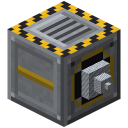
 Quarry
Filter Module (Void)
Filter-Modul (Leere)
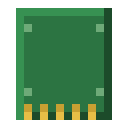
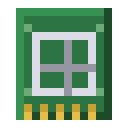
The Filter Module (Void) voids cobblestone, dirt, gravel, granite, diorite, andesite, tuff and netherrack so your chest doesn't overflow. Right-click with the module (or "Filter" in the quarry GUI): take an item on the …
lt_qu:modul_filter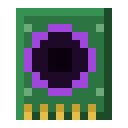
How to get it
Filter Module (Void) in 4 steps — from:
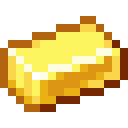 Gold Ingot
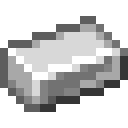 Iron Ingot
 Stick
Stick Copper Ingot
 Redstone Dust
 Redstone Comparator
 Obsidian
 Ender Pearl
- Forge Hammer
 Crafting Table
32
Crafting Table
32
- Copper PlateCrafting Table
- Filter Module (Void)Crafting Table
44
At a glance
| Mod | Quarry |
|---|---|
| In-game text | Voids cobblestone, dirt, gravel … · Right-click: edit list |
| Category | Tools & Gear |
| Type | Item |
| Stackable | no |
| Rarity | Uncommon |
| Made in | Crafting Table |
| Used in | — |
More in the guide: Filter (Void)
Crafting
Crafting Table3 × 3
1 × Filter Module (Void)Recipe straight from the server — in game /rezepte shows it too.
How to use it
The Filter Module (Void) voids cobblestone, dirt, gravel, granite, diorite, andesite, tuff and netherrack so your chest doesn't overflow.
Right-click with the module (or "Filter" in the quarry GUI): take an item on the cursor and click into the list = add, click an entry = remove. "Keep only" mode inverts the list.

Uses
Not used as an ingredient in any recipe.
Related items & guides
Help us improve the content.
Thanks! Glad it helped.
Thanks! What was missing? Tell us in the forum.