

The  ME Terminal shows everything in the network (like AE2). Left: stack, right: half, shift+left: to inventory, shift+right: one item (craftables: craft), Ctrl+Q: fill your inventory with it, number key: to hotbar. With an item on the cursor: left = store all, right = store one.
Bottom row: pages, search (anvil; "@mod", "#tooltip", "$tag", "*id", space = and, "a|b" = or), sorting, order, view, insert slot, "store everything", network status (number = running jobs). Amounts in the tooltip like AE2 (12K = 12,000).
 Crafting Tableshapeless



 1 × ME Terminal
 ME Crafting Terminal: a 3×3 crafting grid next to it, used ingredients are refilled from the network. Result: left = once, right = a stack to the cursor, shift = a stack to your inventory, shift+right = as many as possible.
 Wireless Terminal: click it into the top-right slot of a
  ME Wireless Access Point (or sneak + right-click the access point) to link. Range 16 + boosters^1.5 blocks. While open it costs as many AE/t as you are blocks away from the access point; charge it in the charger.
Crafting Tableshapeless
 1 × ME Crafting Terminal
Crafting Table3 × 3
1 × ME Crafting Terminal
Crafting Table3 × 3

 1 × Wireless Terminal
Crafting Table3 × 3
1 × Wireless Terminal
Crafting Table3 × 3
 1 × ME Wireless Access Point
 ME Storage Monitor: shows an item and its amount in the network right on the block – great next to farms. Right-click with an item = set, empty hand = clear, sneak + empty hand = lock. Needs no channel.
 ME Conversion Monitor: adds a mini terminal for exactly that item (needs a channel). Left-click the front = take a stack (sneak: 1); if none is stored but it is craftable, the amount window opens. Right-click with that item = insert. When locked it takes any item, empty hand = all of that kind from your inventory.
Crafting Tableshapeless
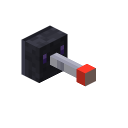 1 × ME Storage Monitor
Crafting Tableshapeless
1 × ME Conversion Monitor
1 × ME Storage Monitor
Crafting Tableshapeless
1 × ME Conversion Monitor