
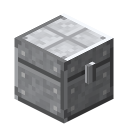
 Storage
Pickup Upgrade
Aufsammel-Upgrade
Base: Upgrade Base. Install via the upgrade button; "Settings" opens the filter (9 slots, allow/deny — just click items onto it). Pickup Upgrade, Magnet Upgrade (3 blocks), Void Upgrade.
lt_sp:upgrade_aufsammelnItemCrafting & AutomationPicked up items go into the backpackSP

How to get it
Pickup Upgrade in 2 steps — from:
 Redstone Dust
 Sticky Piston
 Leather
 String
 Iron Ingot
- Upgrade Base
 Crafting Table
44
Crafting Table
44
- Pickup UpgradeCrafting Table
23
At a glance
| Mod | Storage |
|---|---|
| In-game text | Picked up items go into the backpack |
| Category | Crafting & Automation |
| Type | Item |
| Stackable | no |
| Made in | Crafting Table |
| Used in | 1 recipes |
More in the guide: Backpack Upgrades
Crafting
Crafting Table3 × 3
1 × Pickup UpgradeRecipe straight from the server — in game /rezepte shows it too.
Uses
 Magnet UpgradeCrafting Table
Related items & guides


Was this article helpful?
Help us improve the content.
Thanks! Glad it helped.
Thanks! What was missing? Tell us in the forum.